Send it
- Open the report on your dashboard.
- Press Text it to your customer (opens your phone’s messages with the link written for you), Email it, or Copy link to paste it anywhere. The QR code on the printed handout opens the same link.
We never see or store your customer’s phone number or email: the text or email goes from your own phone or mail app.
What your customer sees
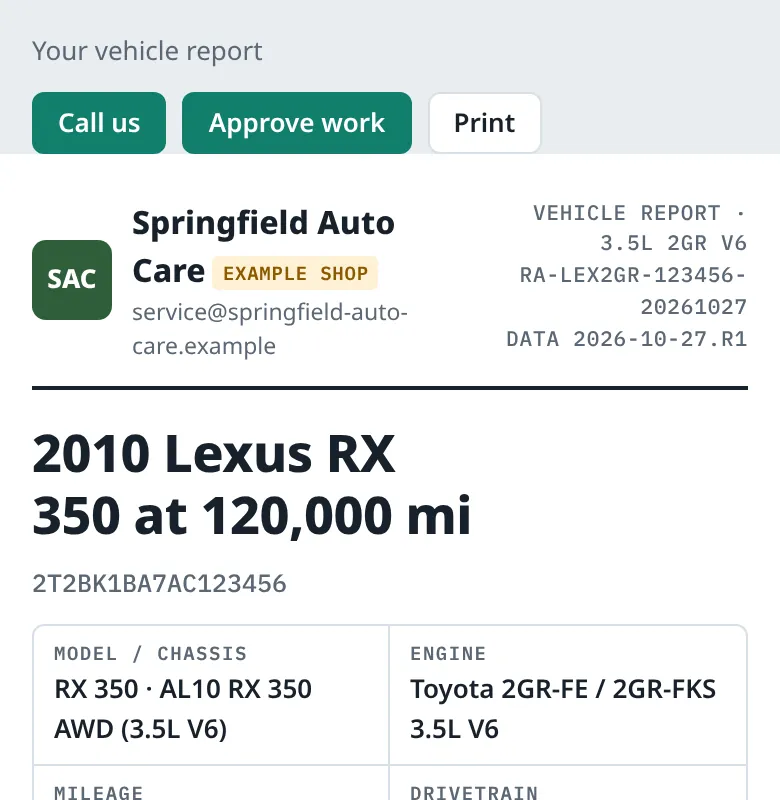
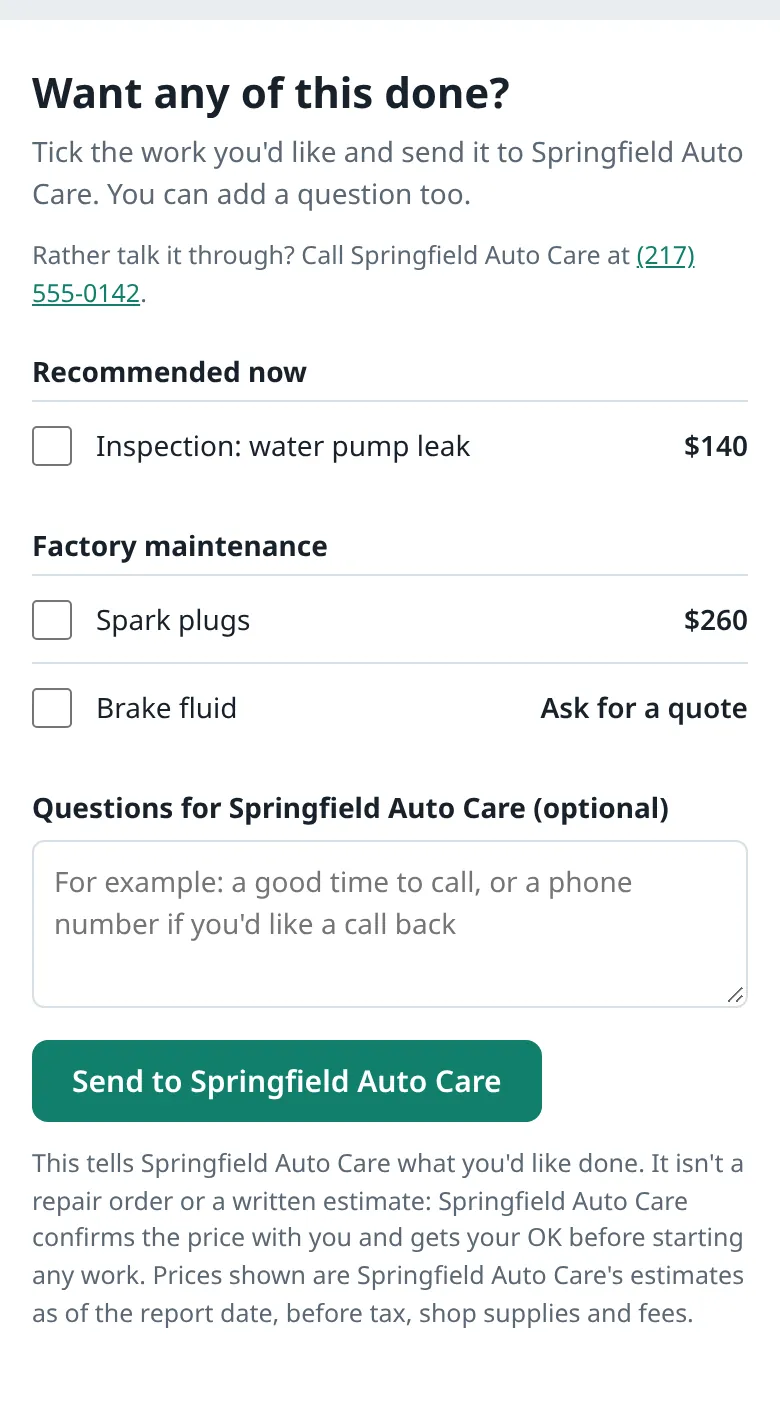
- The full report, with your prices and your shop’s name. It doesn’t show the customer’s name, isn’t listed anywhere, and search engines don’t index it.
- An Approve work button that jumps to a short form: each recommended job with your price, a box for questions, and Send.
- Fine print saying it isn’t a repair order or a written estimate, and that you’ll confirm the price and get their OK before any work.
- If you chose Español as the customer language, the link opens in Spanish, with an English button for the full report. The text and email written for you on the report page are in Spanish too. See A customer who reads Spanish.
When they press Send
- You get an email titled “Approved: …” (or “Question from a customer”) with the jobs, your prices and their note. Customers often add a phone number or a good time to call.
- Call them to confirm the price and book the time. The approval is their go-ahead to talk, not a signed estimate.
- The job shows as Approved by customer on the report page, and the dashboard’s Approved on customer links section counts this month’s approvals and their value at your prices.
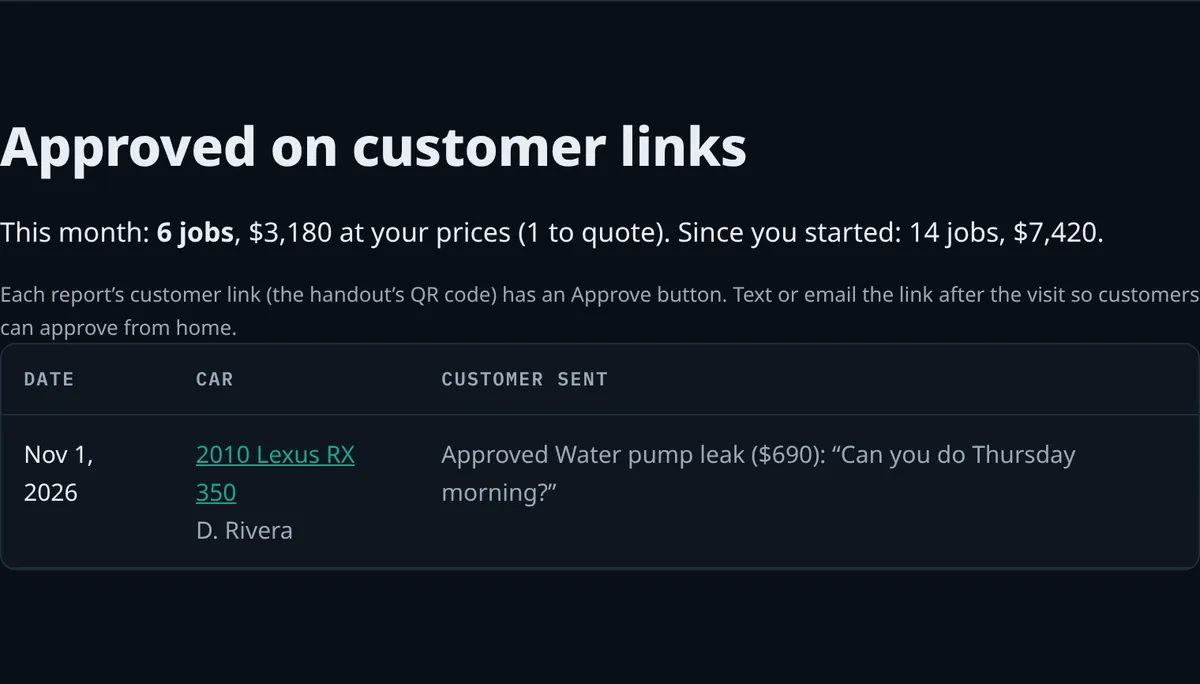
Keep the list tidy
On each report page, Recommended work lists every job with its status. For a job decided at the counter, pick Sold (it counts in your monthly email and leaves reminders), Declined, follow up (it stays on the due-work list and in reminders), Not wanted (it leaves reminders) or Already done (below), and press Save. A job the customer approved on the link gets a Mark sold button for when the work is done. Undo puts any job back.
Already done
Pick Already done when the customer’s records show the job, or you did it before. Add the mileage or the date it was done if you know it; both are optional.
- The job leaves reminders and the Approve form on this report’s customer link.
- The next report you run for this car leaves the job off the handout, the customer’s link and the totals. Its report page and technician worksheet list it as “Already done (marked on the … report)”, and the report email says so.
- A job that repeats (spark plugs, fluids) isn’t left off for good. It comes back once its interval has passed again since the mileage or date you gave. If you gave neither, the interval counts from the mileage and date of the report you marked it on.
- A job marked Sold isn’t left off: it stays on the car’s next report with a note that it was sold on the earlier report, so the advisor can check it was done.
- The inspection is a check made at each visit, so it can’t be marked Already done.
- Marked by mistake? Press Undo on the report where you marked it. A later report that already left the job off gets it back when you update it (“Fix prices and terms on this report”, then Update report).
Only your shop’s own marks are used. The printed pages of the report you mark it on don’t change.
Tip: text the link the same day, after the customer leaves. People approve work at home, after they’ve had time to read.