Due-work reminders
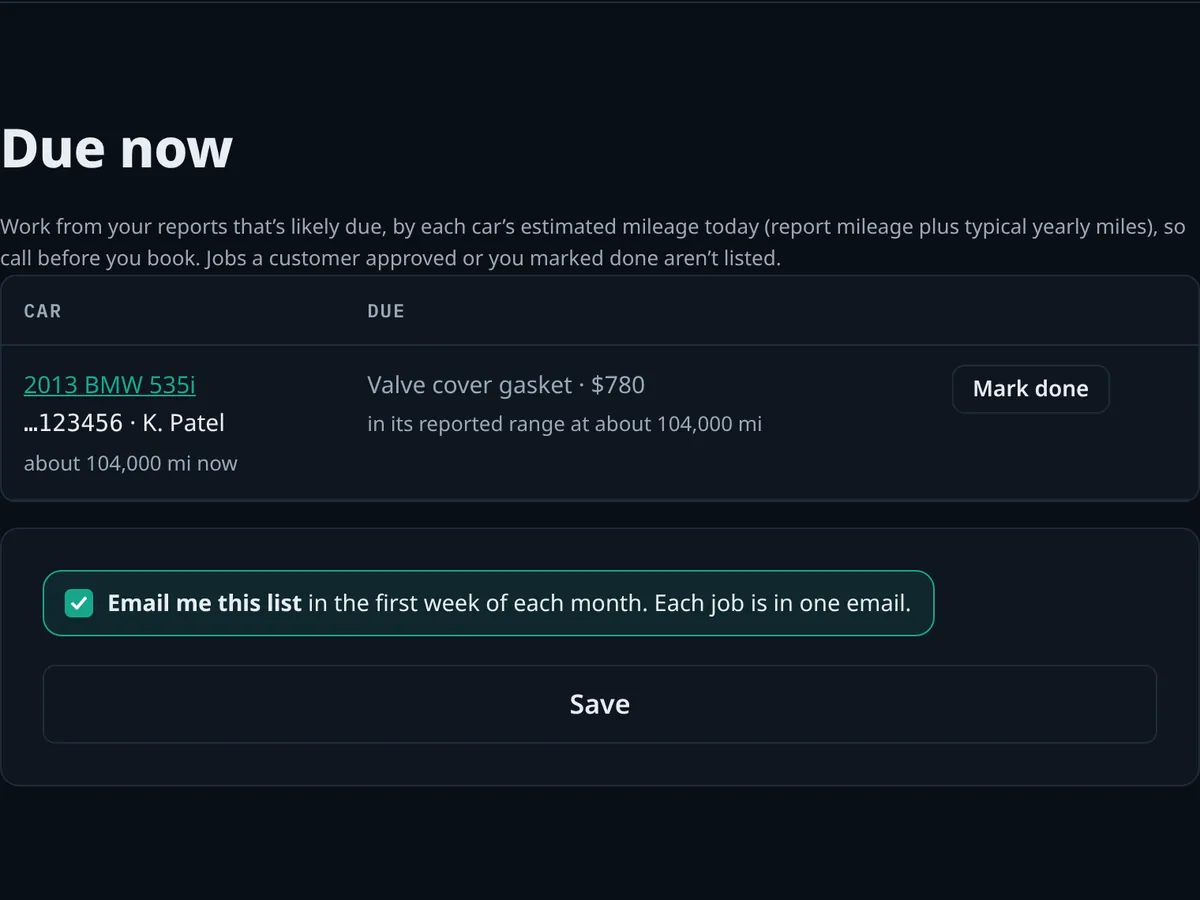
- Due now on your dashboard lists customers whose planned work is likely due, from each car’s report mileage plus typical yearly driving. It’s an estimate, so call before you book.
- In the first week of each month we email you the list, with each customer’s link ready to send. Each job appears in one email.
- Jobs the customer approved, or you marked sold, already done or not wanted, aren’t listed. Jobs you marked declined stay on the list, so you can follow up.
- When the car comes back and you run a new report, jobs you marked Already done are left off it until they’re due again. Jobs you marked Sold stay on it, with a note that they were sold on the earlier report.
- Untick Email me this list and press Save to stop the emails. The list stays on the dashboard.
New recalls on your customers’ cars
- A report lists the recalls to check for the car’s model year on the day it was made. When NHTSA adds a recall for that model year later, the car appears under New recalls on your customers’ cars on your dashboard, with the recall number, the part and NHTSA’s summary.
- NHTSA lists recalls by model and model year, not by VIN, so a recall may not include every car. Check the VIN at nhtsa.gov/recalls or with a dealer to see whether this car is included. If it is, the dealer normally does the recall repair free (on a car over 15 years old, ask the dealer).
- We look about once a week, for reports from the last three years, and email you at most once a week, only when there is something new. Each recall appears in one email, with a ready-to-send text for the customer.
- Press Handled to take a recall off the list. Untick Email me these and press Save to stop the emails. The list stays on the dashboard.
- Pre-purchase inspection reports aren’t followed, and a newer report on the same car replaces the older one.
Free coverage ending soon (Pro)
- Some reports name a maker warranty extension or special coverage. When one is close to its time or mileage limit, the car appears under Free coverage ending soon.
- If the part is failing, the dealer may still repair it free. A quick check now tells your customer whether the car qualifies. The email includes a ready-to-send text for the customer.
- We email you at most once a week, only when a car joins the list. Press Handled to take an item off. Time limits run from the first sale date, so check the VIN with a dealer: the maker decides what qualifies.
Due-work reminders and new-recall alerts are on for both plans. On the Shop plan, Free coverage ending soon shows how many cars qualify, and switching to Pro (under Manage billing) turns it on. See Billing, plan and account.